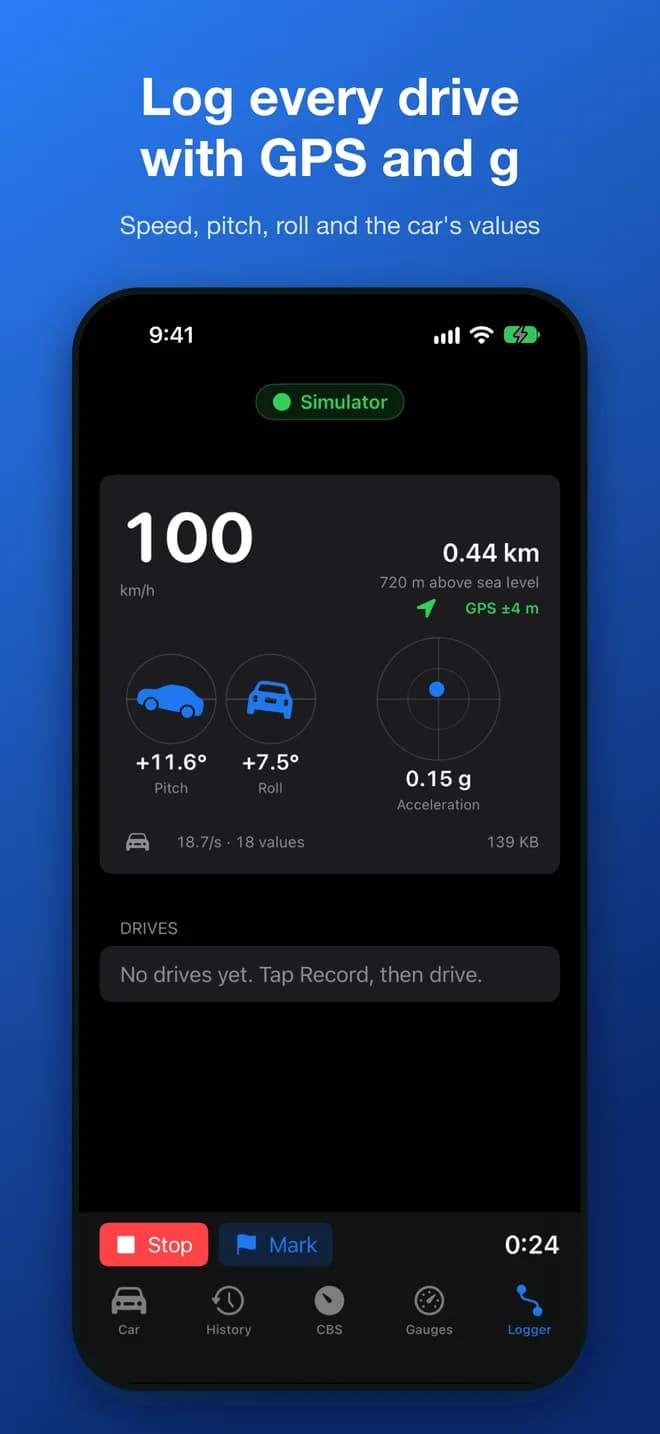
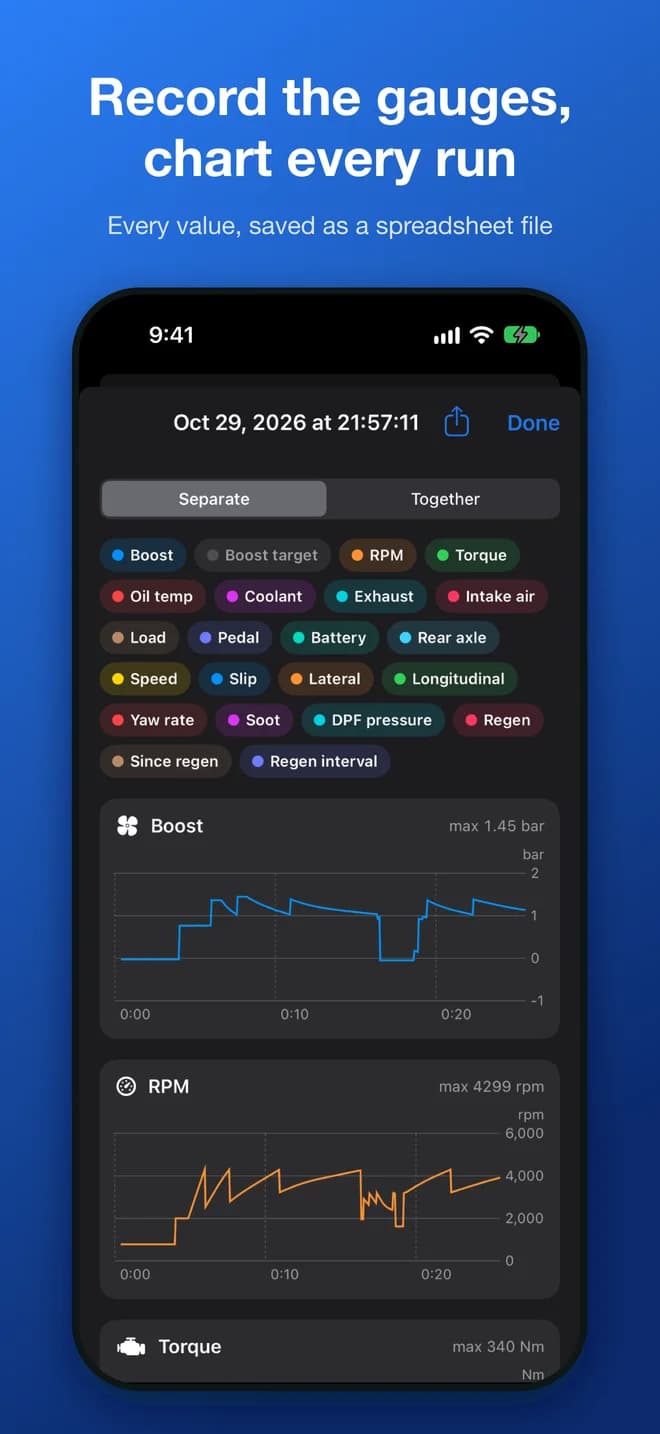
A Bluetooth data logger made for BMWs. It lives in the OBD port, puts live gauges on CarPlay with no cable, and records every drive with its own 10 Hz GPS, whether or not your phone came along.
10 Hzsatellite fixes, ten times a phone’s usual rate
2 Gbitof flash on board for your drives
0cables between the car and your phone
$0a month. There is no subscription
Why it’s different
Not another OBD dongle.
Most adapters are a generic chip in a plastic shell, and a phone app that does the rest while it happens to be connected. This is a data logger, designed around one make of car and one app.
It speaks BMW, not just OBD
Generic dongles speak the handful of values every car must report. The Logger talks to your car the way workshop tools do: BMW diagnostics over Ethernet at the OBD port, with D-CAN for cars without it. That is where boost against its target, oil temperature, xDrive torque and DPF soot live.
Bluetooth, so wireless CarPlay keeps working
Wireless CarPlay takes over your iPhone's Wi-Fi, which is why a Wi-Fi OBD adapter and CarPlay don't mix, and why the alternative is a cable hanging from your phone. The Logger uses Bluetooth LE and leaves the Wi-Fi alone.
It records without your phone
Its own satellite receiver, motion sensor and flash storage. Start the car and the drive is logged, phone or no phone. Boostbook collects the drives later over Bluetooth or USB-C.
It sleeps when the car sleeps
A micro-power radio chip stays awake and switches everything else off. It wakes on the car's own wake-up, on motion or on USB, and is designed to listen before it ever talks to a parked car.
No account, no subscription, no cloud
Your drives stay on your iPhone and your computer. There is no sign-up, no monthly fee and nothing phoning home, in the app today or in the Logger.
Engineered in the open
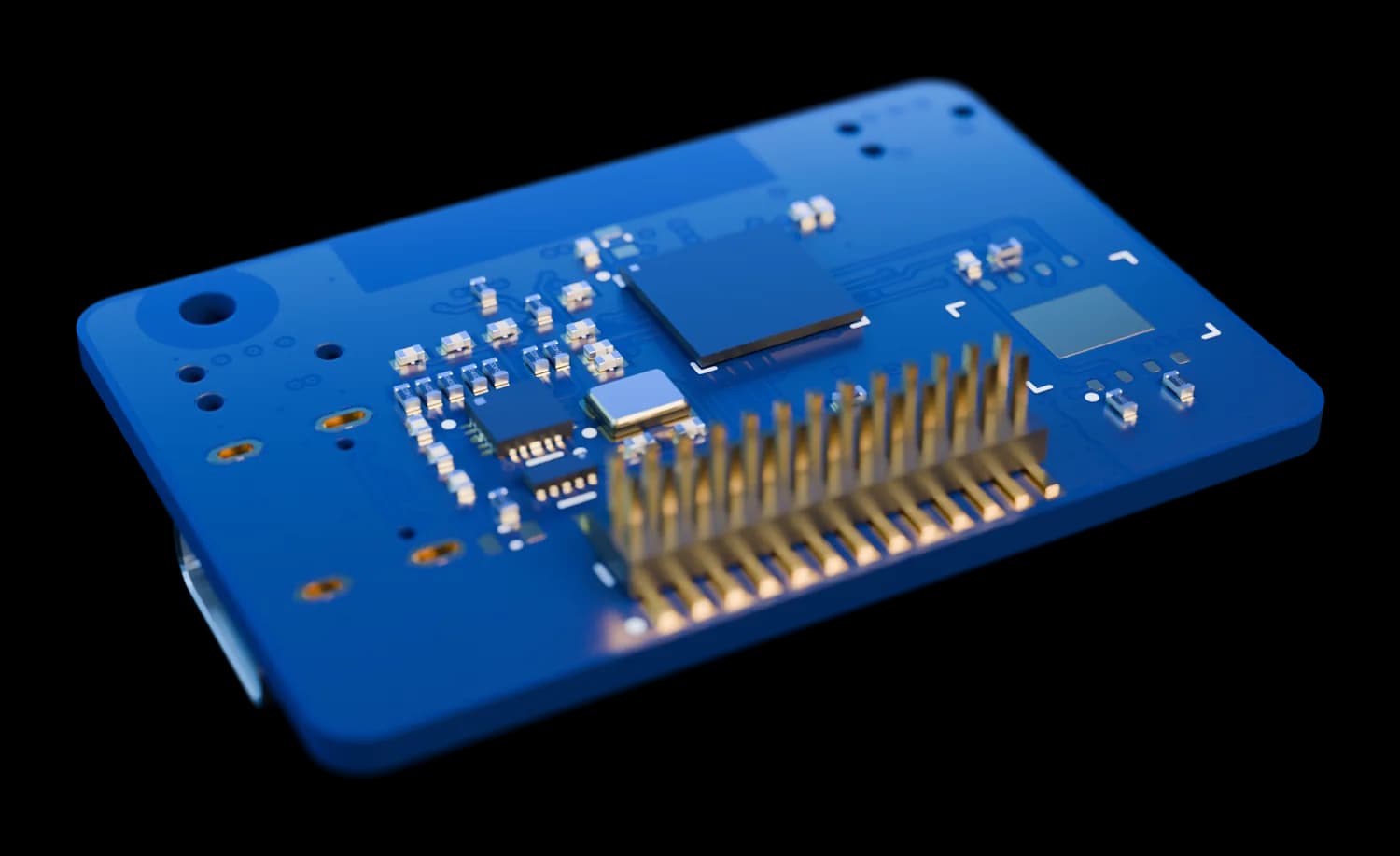
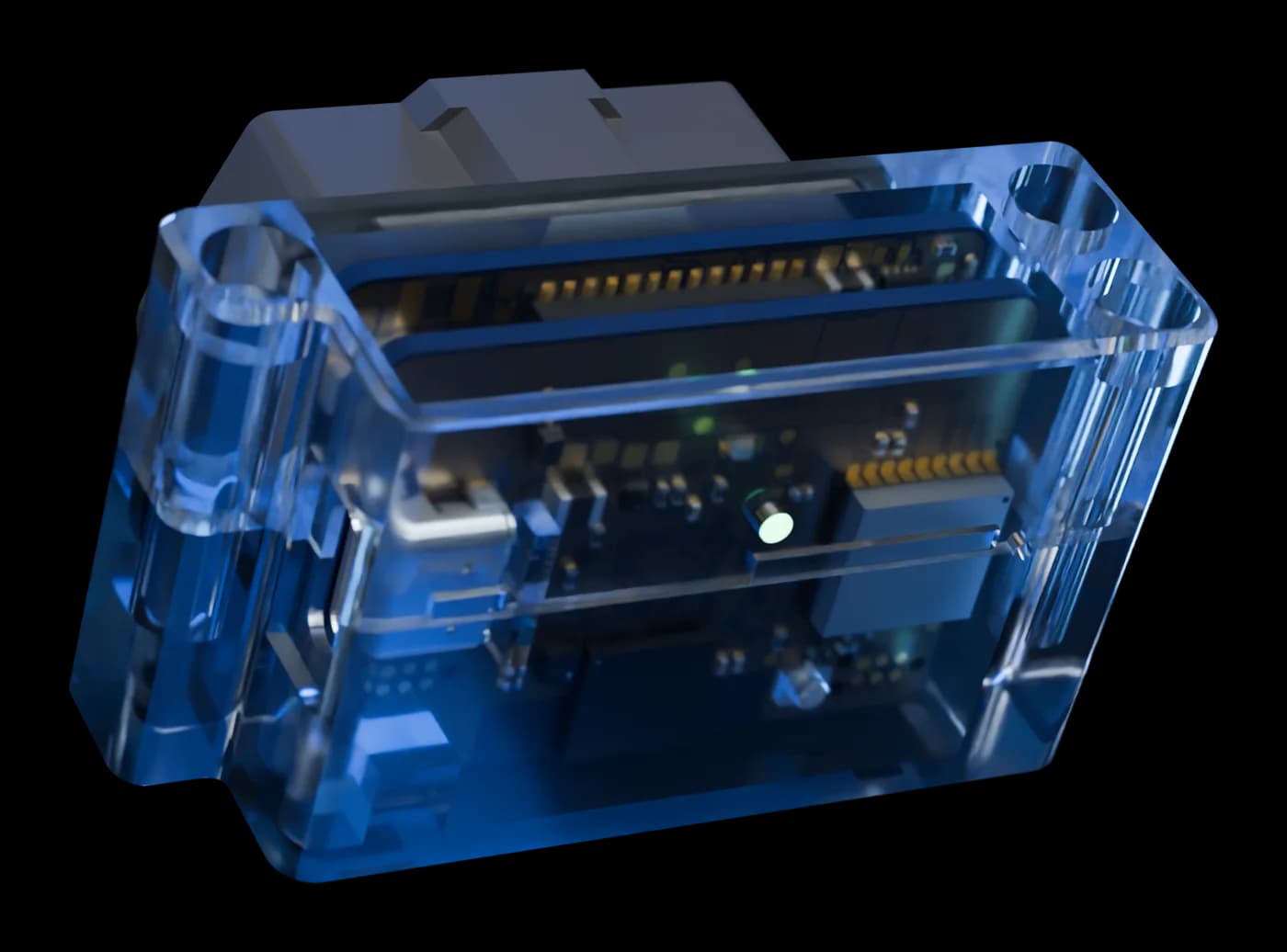
Those are the real circuit boards on this page, not a stock photo of a black box. Two six-layer boards, automotive-qualified power parts, designed in Australia alongside the app that uses them.
How the Boostbook Logger compares with other ways to connect
Generic Bluetooth OBD dongle
ENET cable or Wi-Fi adapter
Boostbook Logger
BMW's own diagnostics over Ethernet
Works alongside wireless CarPlay
Cable to the phone, or no CarPlay on Wi-Fi
Records drives with no phone in the car
Built-in 10 Hz satellite positioning
Made to stay plugged in
Varies; many never sleep
No subscription for live data
Depends on the app
With Boostbook
The Logger column describes the rev A design. Measured figures will replace design targets before pre-orders open.
Inside
Take it apart. We did.
Keep scrolling to open it up. Everything you see is the real design: the routed boards and the enclosure, straight from the CAD.
01
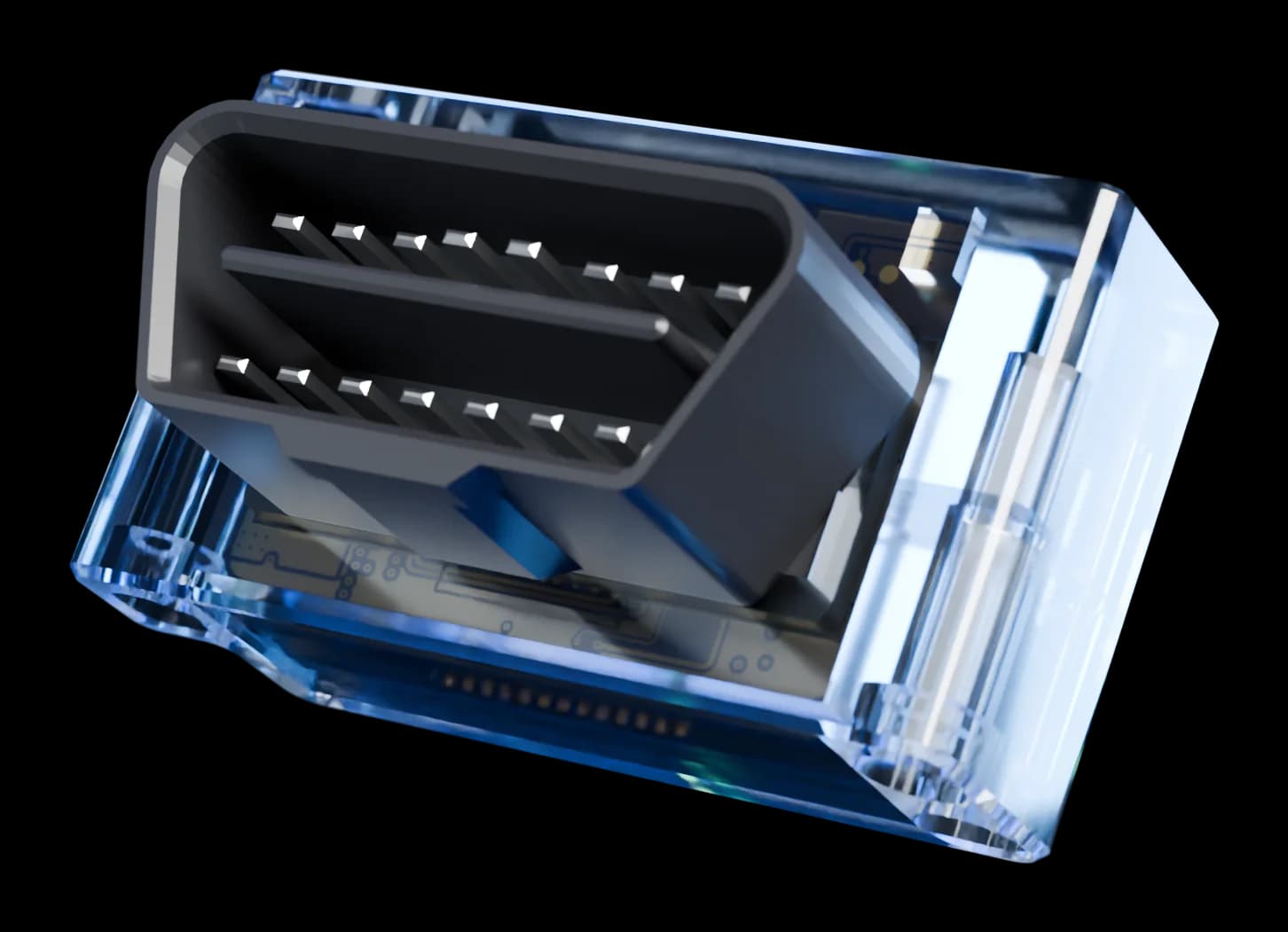
About the size of a matchbox
A 57 × 33 × 19 mm body behind the plug, shown here in a clear shell. USB-C on the side, one status light on the back, nothing to press.
02
A shell that takes the strain
The two halves close around the plug's neck, so pulling it out of the car loads the shell and never a solder joint.
03
Two boards, one stack
Board A carries power and the car's buses. Board B carries the processor, storage and radios. A 26-pin mezzanine joins them.
04
Nothing generic inside
No ELM327 clone. A 250 MHz Arm Cortex-M33, a real Ethernet PHY, an automotive CAN transceiver and a separate Bluetooth supervisor.
The boards
Two six‑layer boards. No passengers.
40 × 28 mm each, stacked behind the plug. One looks after the car, the other does the thinking.
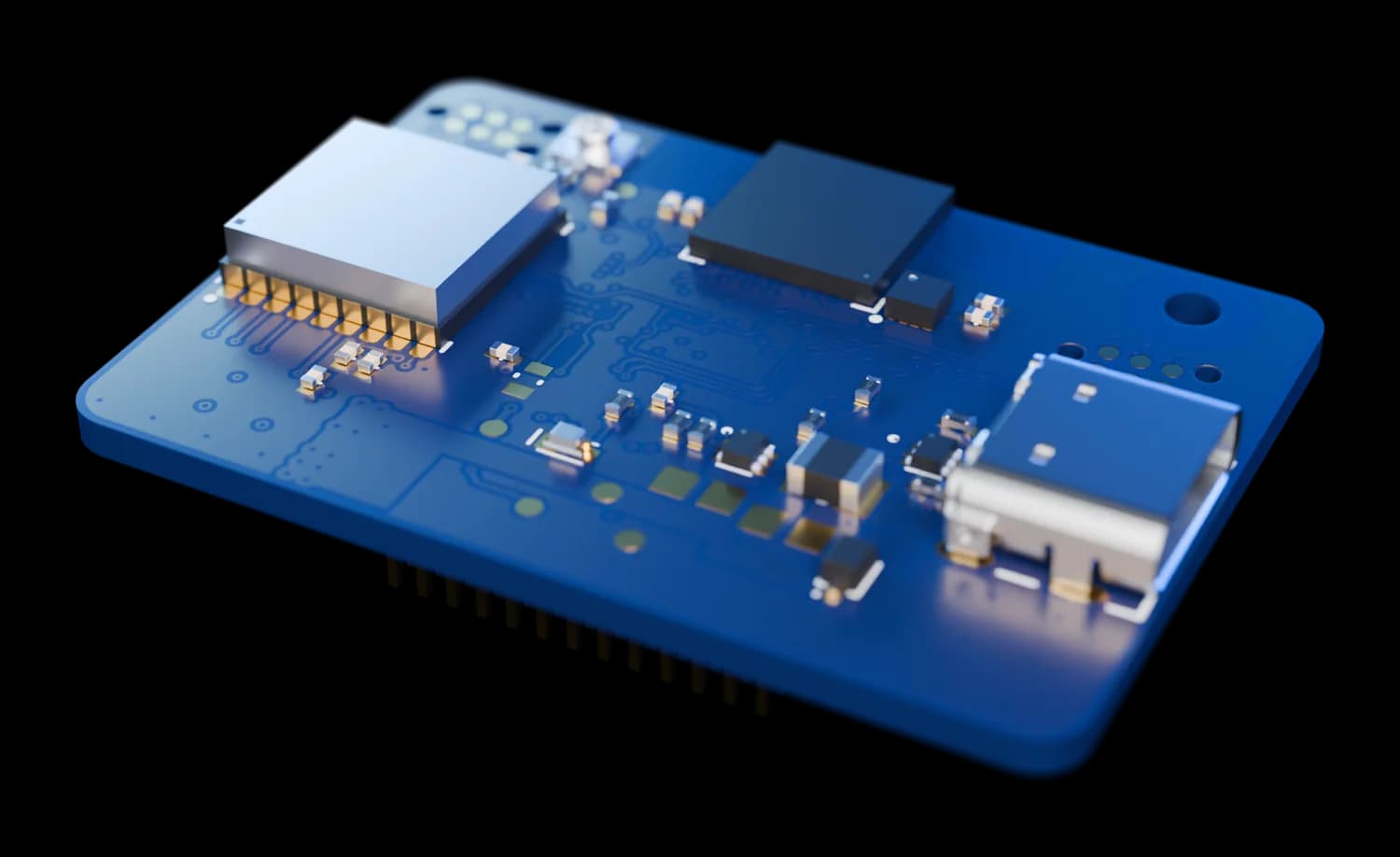
Board B · outer face
Radios and USB-C
The Bluetooth module with its antenna at the cabin-facing edge, the u-blox satellite receiver, the antenna connector, the status light and USB-C.
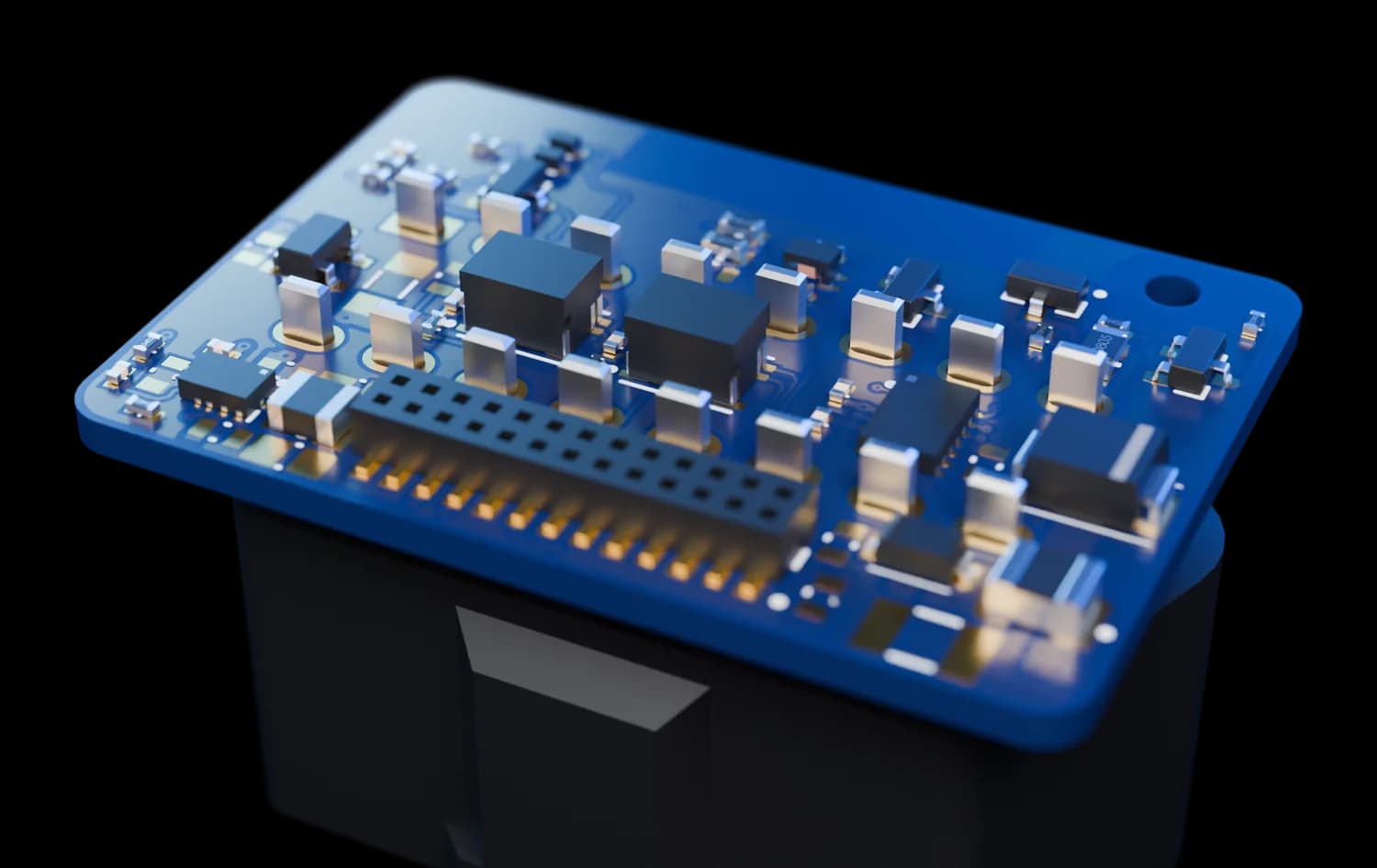
Board A · inner face
Power and the car
A wide-input buck converter, the always-on regulator, the CAN transceiver and the Ethernet magnetics, soldered straight to the plug.
Board B · inner face
The thinking side
Faces board A across a 26-pin gold mezzanine header, 4.6 mm away.
ProcessorSTM32H563Arm Cortex-M33, up to 250 MHz
To the carENET + D-CAN100 Mbit Ethernet PHY and a CAN transceiver
To the phoneBluetooth LEnRF52832, also the always-on supervisor
Position10 Hz GNSSu-blox MAX-M10S, external active antenna
Storage2 Gbit flashA ring buffer: the newest drives are always kept
Motion3-axisAccelerometer that can wake the logger
PowerAutomotiveAEC-Q100 buck converter and always-on regulator
USB-CData + updatesDownload drives and update without the car
From the rev A design files. Colours are the render’s; parts and performance may change before production.
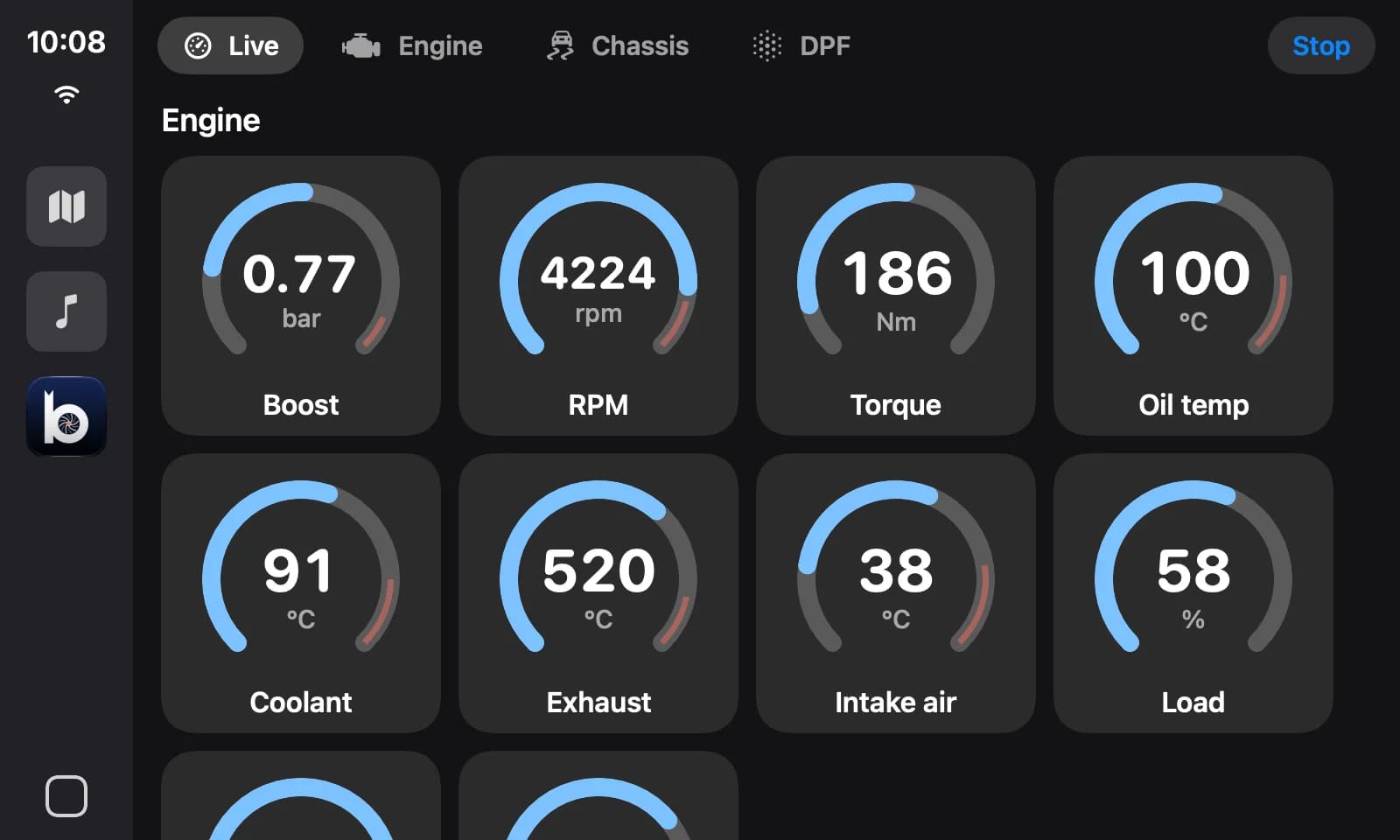
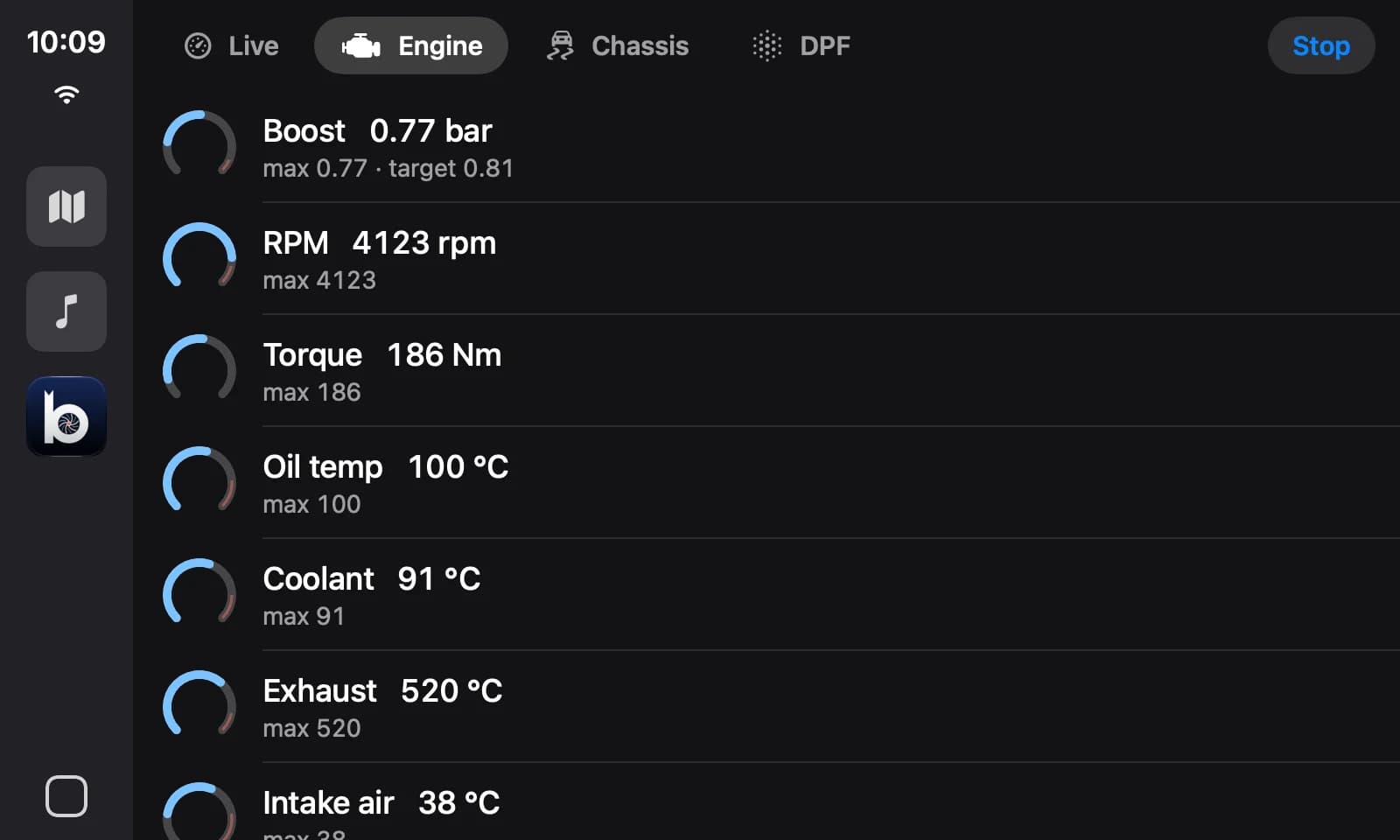
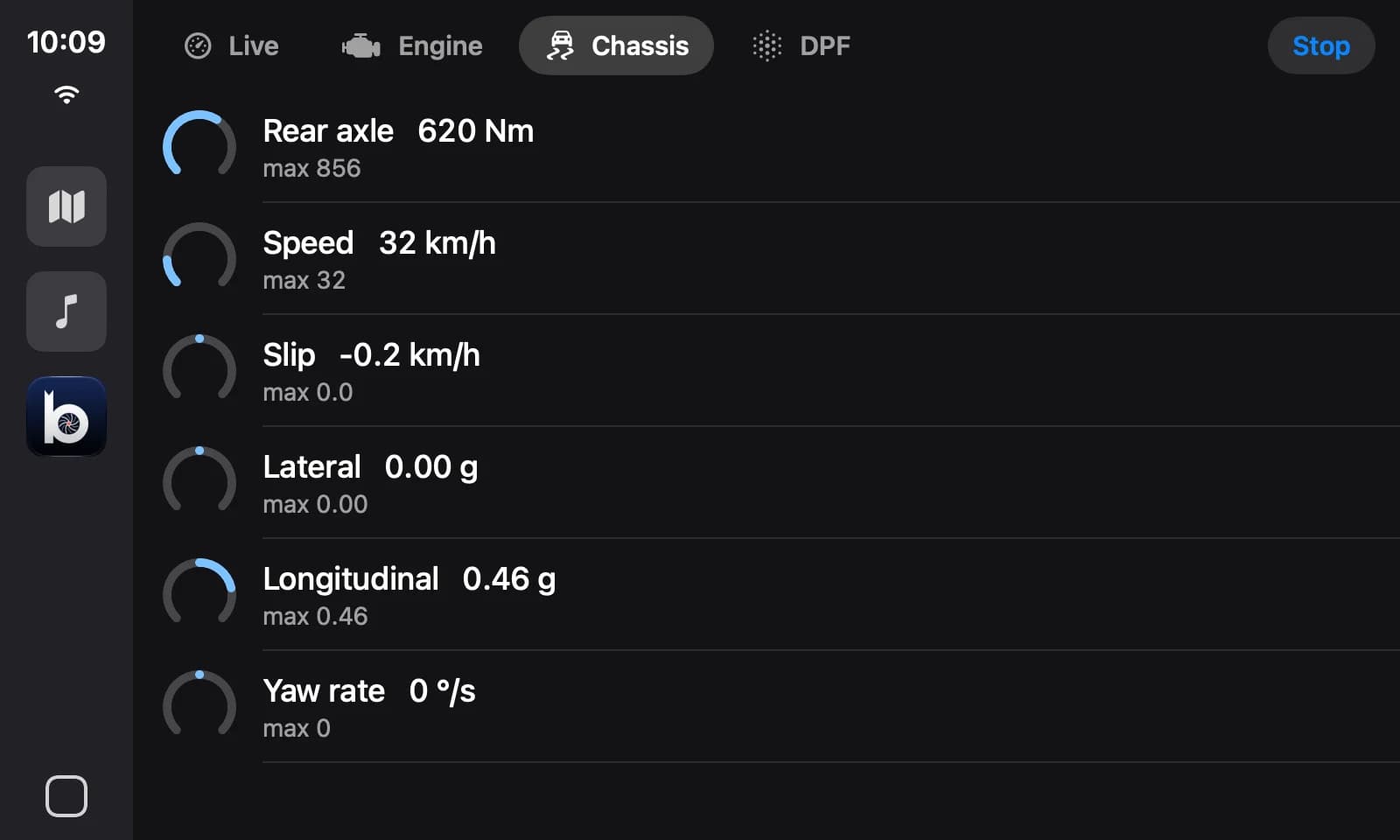
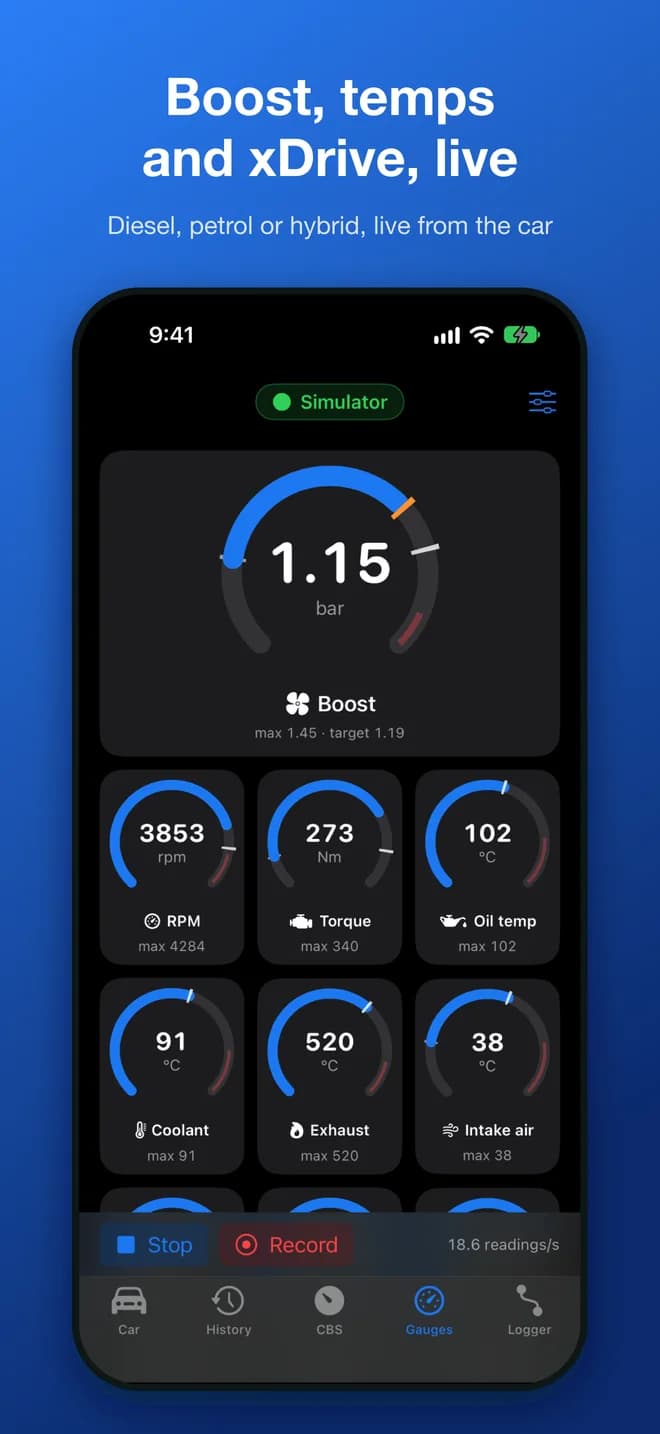
Boost, RPM, torque and temperatures as live dials on CarPlay, with engine, chassis and DPF pages behind them, and a warning when a value runs too hot or too low. Nothing to mount, nothing to glance down at.
No cable to the phone. The Logger connects by itself over Bluetooth when you get in.
Wireless CarPlay stays wireless. Your iPhone’s Wi-Fi is left for CarPlay.
A warning before the dash gives one. An alert when a value enters its warning range.
From Boostbook’s CarPlay preview with the built-in simulator; in the car, CarPlay draws these screens itself. Live gauge tiles are in testing now. The App Store version shows the car’s condition on CarPlay today.
Logging and playback
Drive it again, in 3D.
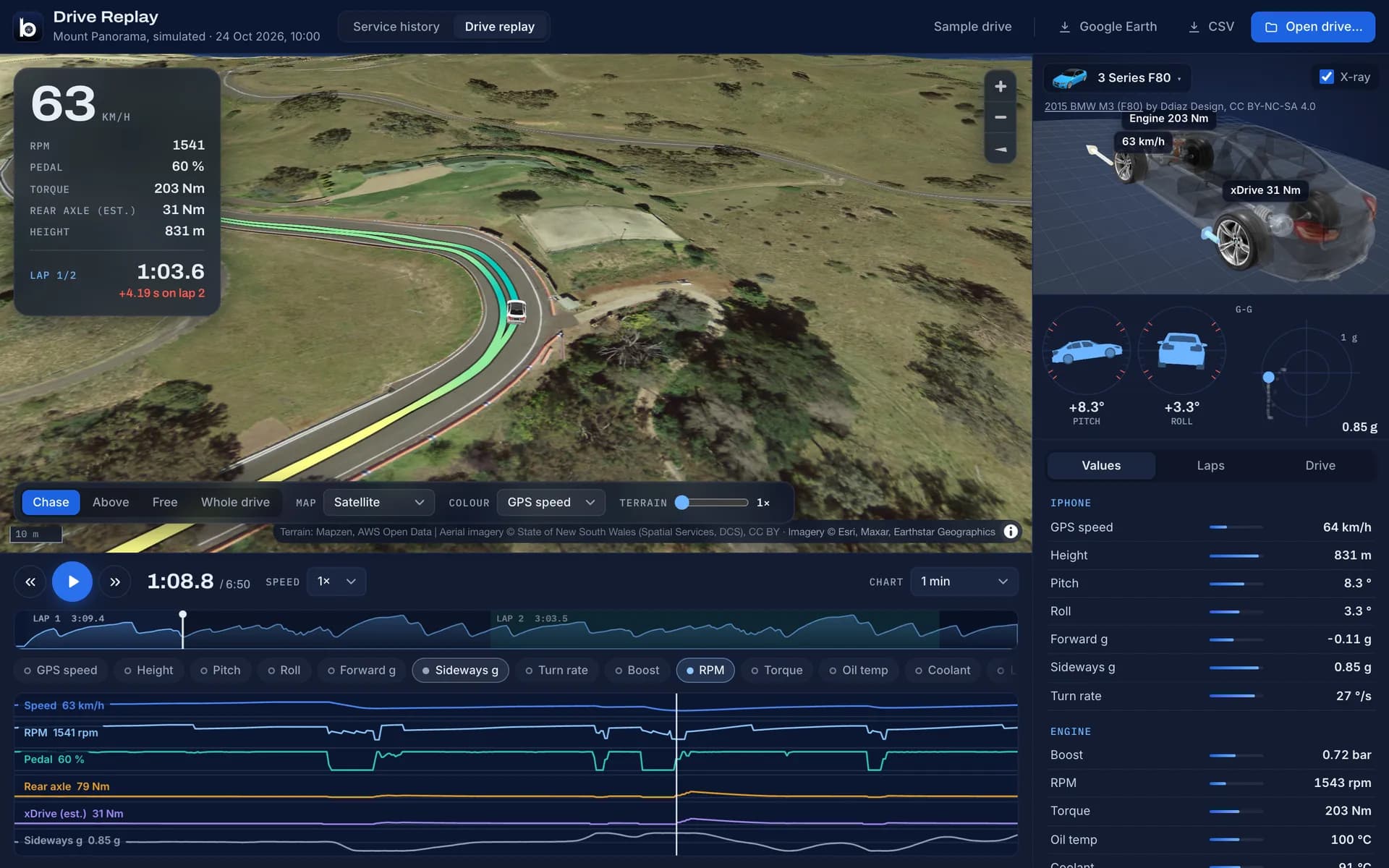
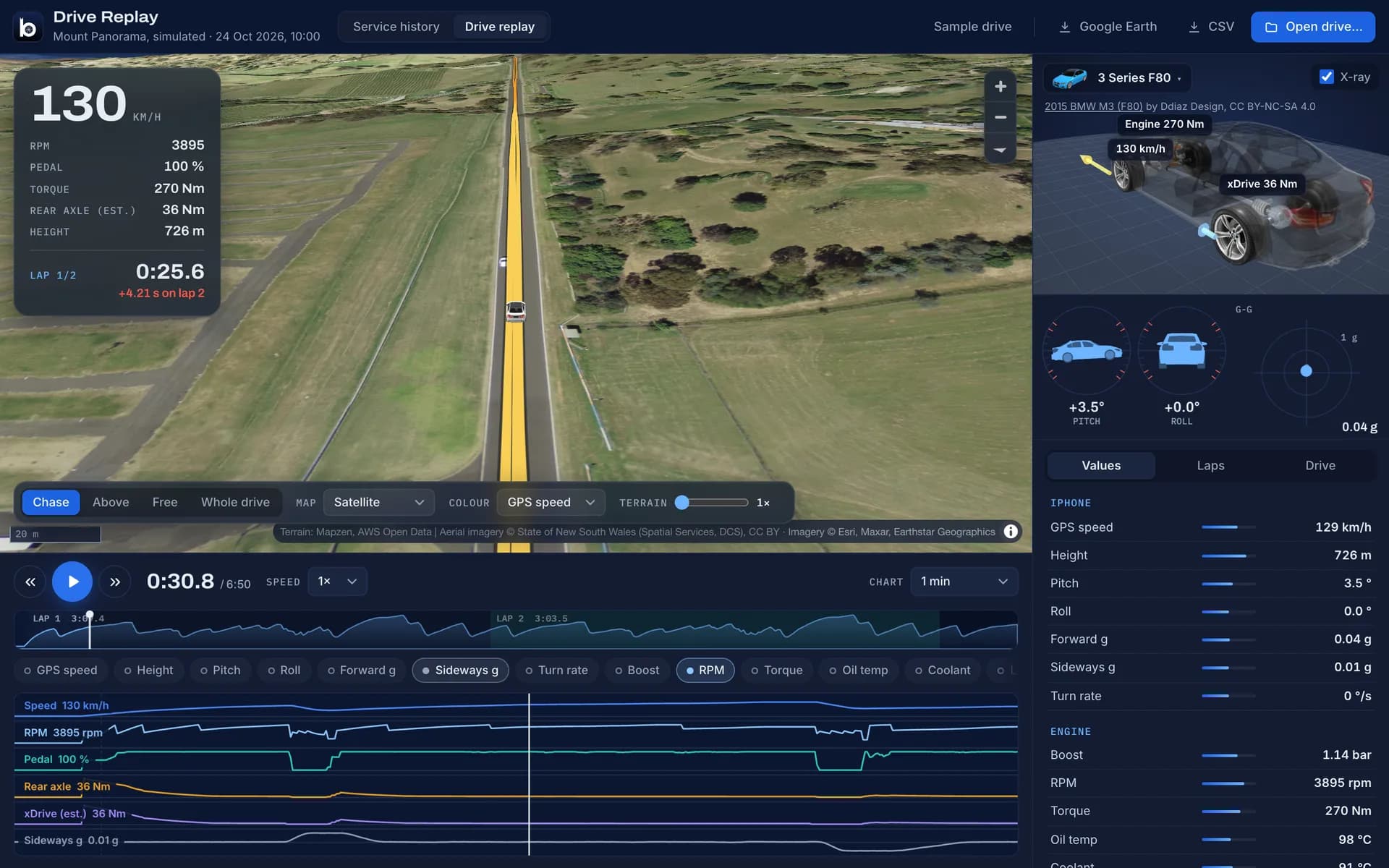
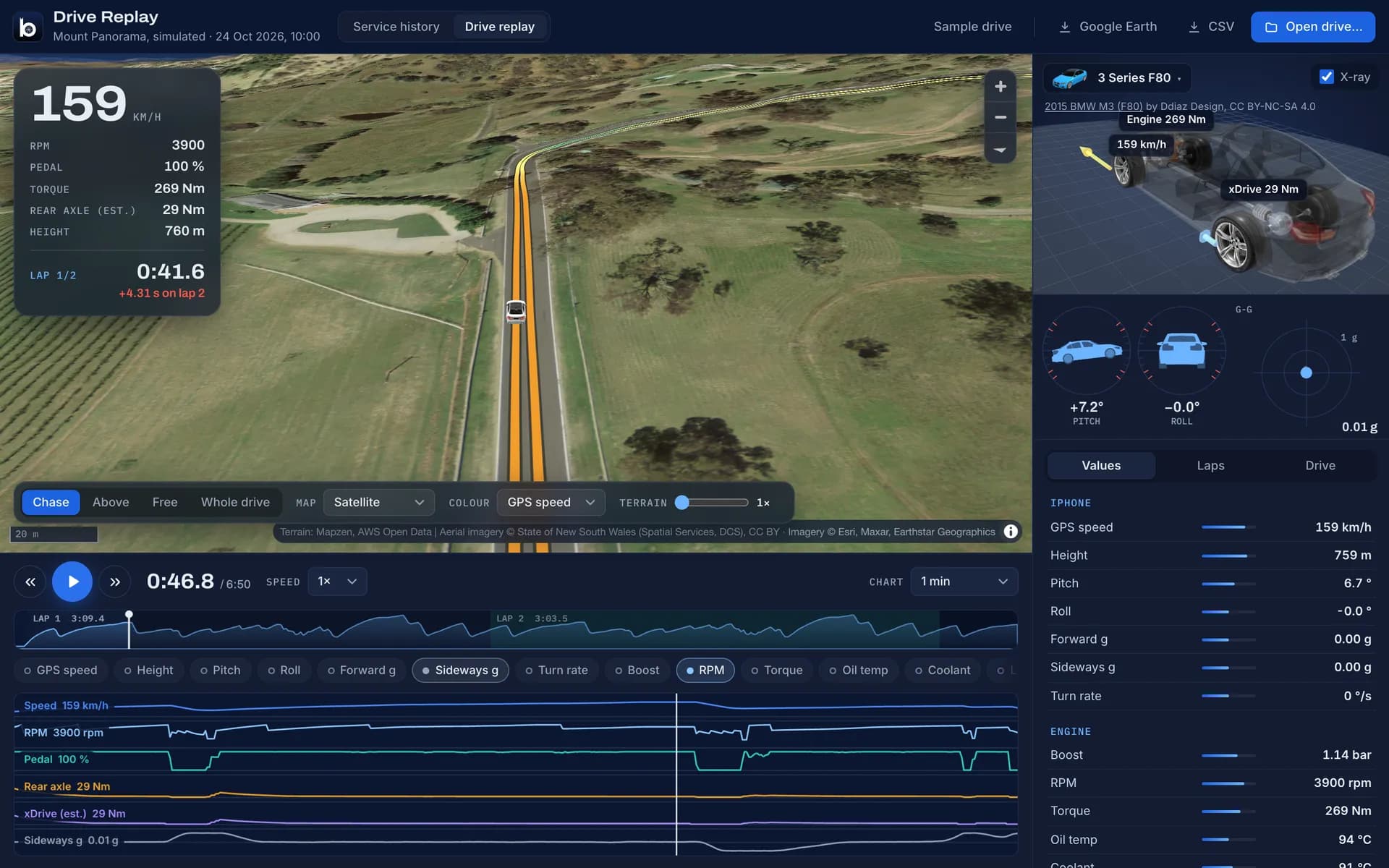
Every drive becomes a file you own. Open it in Boostbook’s free replay and watch the car go round the map, with every reading on a timeline underneath.
Terrain and aerial imagery, the path coloured by speed, chase or overhead camera.
See the drivetrain work
An X-ray of the car shows engine torque and how much xDrive sends to the other axle.
Laps, pitch, roll and g
Lap times with deltas for the track; pitch, roll and climbs for the trail.
Yours to keep
Export to Google Earth or a spreadsheet. Nothing is uploaded anywhere.
How it works
Three steps, and the first one only happens once.
1
Plug it in
Into the OBD port under the dash. Pair it with Boostbook. That’s the installation.
2
Just drive
It wakes with the car and records. Your gauges are on CarPlay when you want them.
3
Relive it
Boostbook collects the drives. Replay them in 3D, compare laps, keep the files.
Boostbook Pro
Pro comes in the box.
Boostbook is free today, and the essentials stay free: connecting to your car, live gauges on the phone, the service book. Pro is the plan for everything built around driving, as a single purchase, never a subscription. Every Logger will unlock it on the phone it’s paired with.
Planned for the Logger’s launch; the list may change. Anyone using Boostbook before Pro arrives keeps what they have.
The first batch
Be first in line.
The first run will be small. Reserve one and you’ll hear when pre-orders open, with the price and the measured specs, before anyone else.
DesignedBoth boards routed and checked; the enclosure drawn.
Next: prototypesFirst boards built, brought up and measured.
Then: in the carWeeks of real driving, parked-battery tests and compliance.
Pre-orders openReservations are emailed first.
Questions
Straight answers.
Is it real yet?
The design is: both circuit boards are routed and the enclosure is drawn. The pictures on this page are renders made from those design files. No units have been built yet, so every hardware figure here is a design target until we have measured it.
When will it ship, and what will it cost?
We won’t name a date or a price until prototypes have been driven and measured. Reserving costs nothing and commits you to nothing; it puts you at the front when pre-orders open.
Which cars will it work with?
Boostbook supports BMW F, G and I-series cars: diesel, petrol and plug-in hybrid, xDrive or sDrive. It was developed on an F48 X1 xDrive diesel, and that is the first car the Logger will be proven in. Tell us your car when you reserve and we’ll know what to test next.
Will it flatten my battery if I leave it plugged in?
It is designed not to: almost everything is switched off while the car sleeps, and it is built to listen for signs of life before it ever talks to a parked car. We’ll publish the measured standby current before taking a single order.
Do I need the Logger to use Boostbook?
No. Boostbook works today with an ENET cable or a Wi-Fi ENET adapter, and it’s free on the App Store. The Logger is for people who want it always there: no cable, CarPlay, and drives recorded by themselves.
Where does my data go?
Nowhere. There is no account and no cloud. Drives live on the Logger, your iPhone and wherever you choose to export them.